> ## Documentation Index
> Fetch the complete documentation index at: https://docs.powerux.app/llms.txt
> Use this file to discover all available pages before exploring further.
# Loops
> This page explains how to the For Loops action step to iterate over the array variable
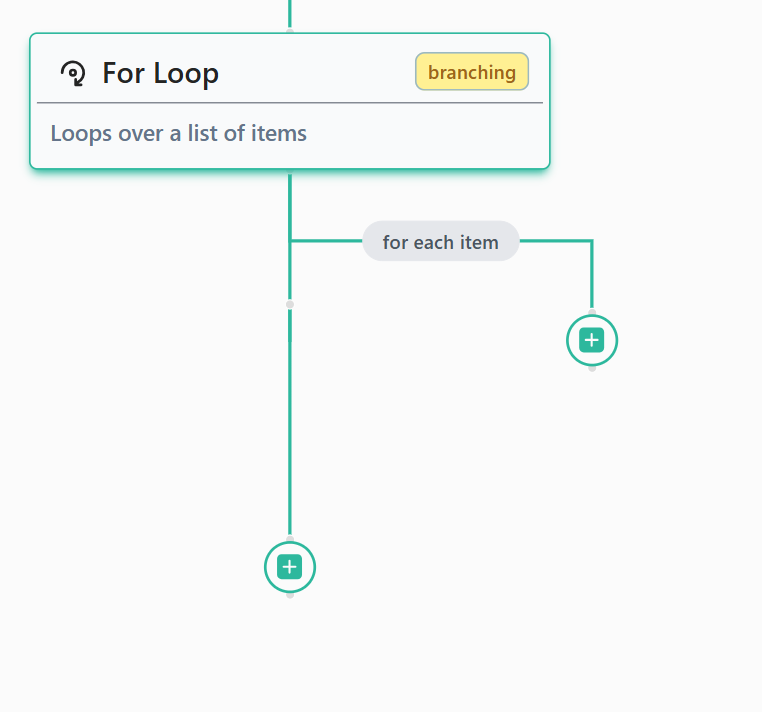
You can loop over an array of items through the "**For Loop**" step or other looping steps, such as `Get Records` API.
**Requirement**: In order to use the **For Loop** step, you need to define an array variables in order to be able to select a variable to loop over for the loop step.
To set up a loop action, follow these steps:
1. Click on the toggle list to select the variable you want to iterate over.
2. Click the + button on the branch with the loop sign to select the action step you want to perform on each item in the array.
 Tip: for steps inside the for loop, to refer to the current item using intelliSense you can use `@Item` which will refer to the current item of the looped array